


Tables
Overview
HTML tables (`<table>`) are used strictly for displaying tabular data—data that inherently belongs in rows and columns, like a spreadsheet or a pricing comparison chart.
In the late 90s, developers used tables to build the entire layout of web pages. NEVER do this today. Layouts should be handled entirely by CSS (Flexbox/Grid), and tables should only be used for actual data.
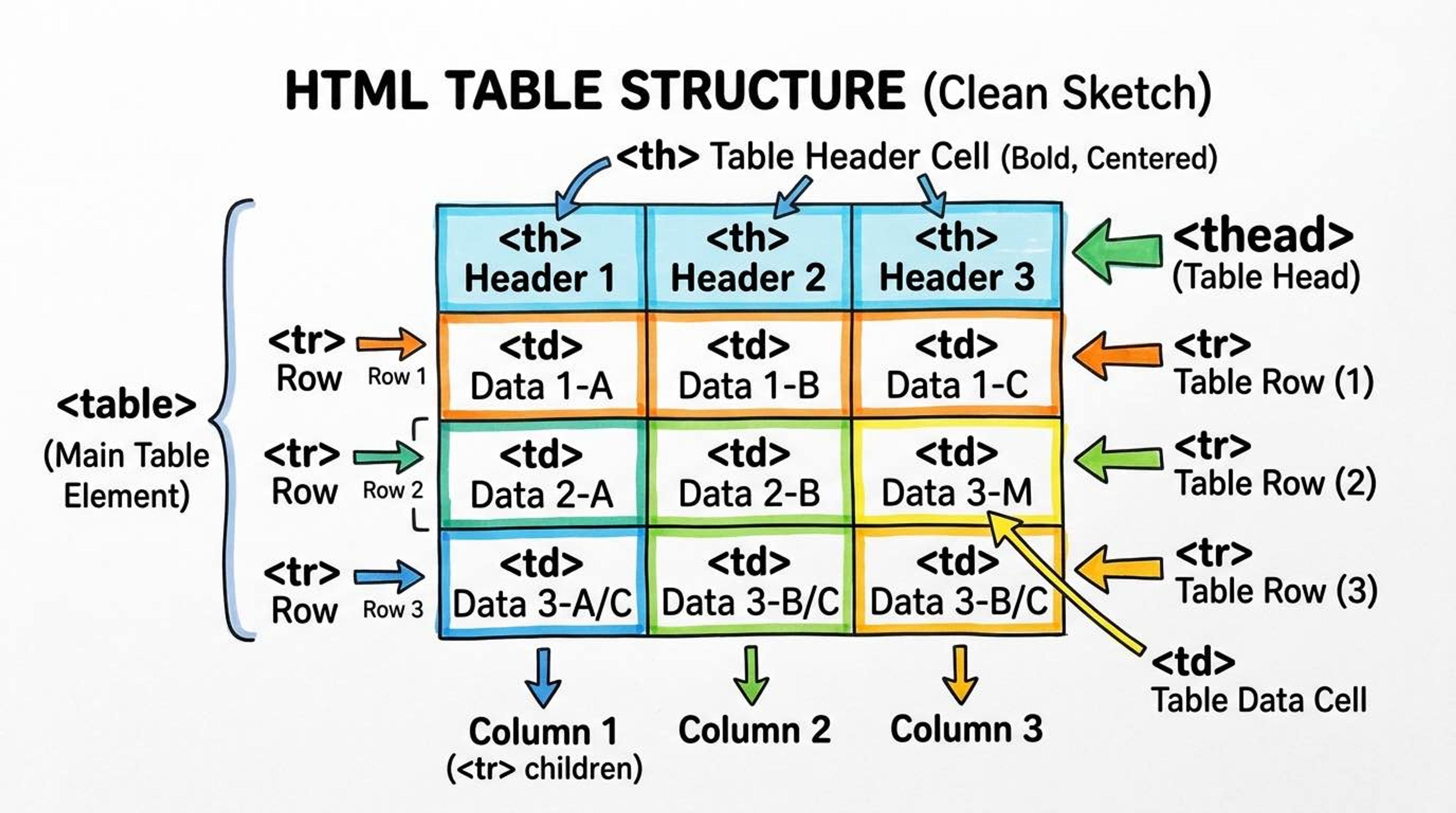
Syntax
A table is built row by row. Use `<tr>` (Table Row) to create a horizontal row.
Inside the row, use `<th>` (Table Heading) for header cells (usually bold and centered) and `<td>` (Table Data) for normal data cells.
<table>
  <!-- First row is headers -->
  <tr>
    <th>Name</th>
    <th>Role</th>
  </tr>

  <!-- Second row is data -->
  <tr>
    <td>Priya</td>
    <td>Developer</td>
  </tr>
</table>
For larger tables, it's best practice to group your rows using `<thead>`, `<tbody>`, and `<tfoot>`. This tells the browser exactly which part of the table acts as the header, the body content, and the footer summary.
<table>
  <thead>
    <tr>
      <th>Product</th>
      <th>Price</th>
    </tr>
  </thead>
  <tbody>
    <tr>
      <td>Laptop</td>
      <td>₹50,000</td>
    </tr>
    <tr>
      <td>Mouse</td>
      <td>₹1,000</td>
    </tr>
  </tbody>
  <tfoot>
    <tr>
      <td>Total</td>
      <td>₹51,000</td>
    </tr>
  </tfoot>
</table>
Common Pitfalls
- Never use tables for page layout — that's what CSS Grid and Flexbox are for.
- Use <caption> to give the table a title — it is announced by screen readers before reading the table content.
- Interview tip: Attributes like colspan and rowspan can merge cells horizontally or vertically, just like 'Merge Cells' in Excel.
Real-World Example
A comparison table for cloud hosting plans:
<table>
  <caption>Cloud Hosting Plan Comparison</caption>
  <thead>
    <tr>
      <th scope="col">Feature</th>
      <th scope="col">Starter</th>
      <th scope="col">Pro</th>
    </tr>
  </thead>
  <tbody>
    <tr>
      <th scope="row">Storage</th>
      <td>10 GB</td>
      <td>100 GB</td>
    </tr>
    <tr>
      <th scope="row">Price/month</th>
      <td>₹199</td>
      <td>₹999</td>
    </tr>
  </tbody>
</table>