


Headings (H1 to H6)
Overview
Every good book has a main title, chapter titles, and sub-titles. Web pages work the exactly same way! HTML gives us 6 levels of headings: from `<h1>` (the most important) down to `<h6>` (the least important).
Why does this matter? Search engines like Google read your headings to understand what your website is about (this is called SEO - Search Engine Optimization). Visually impaired users also use screen readers to jump from heading to heading.
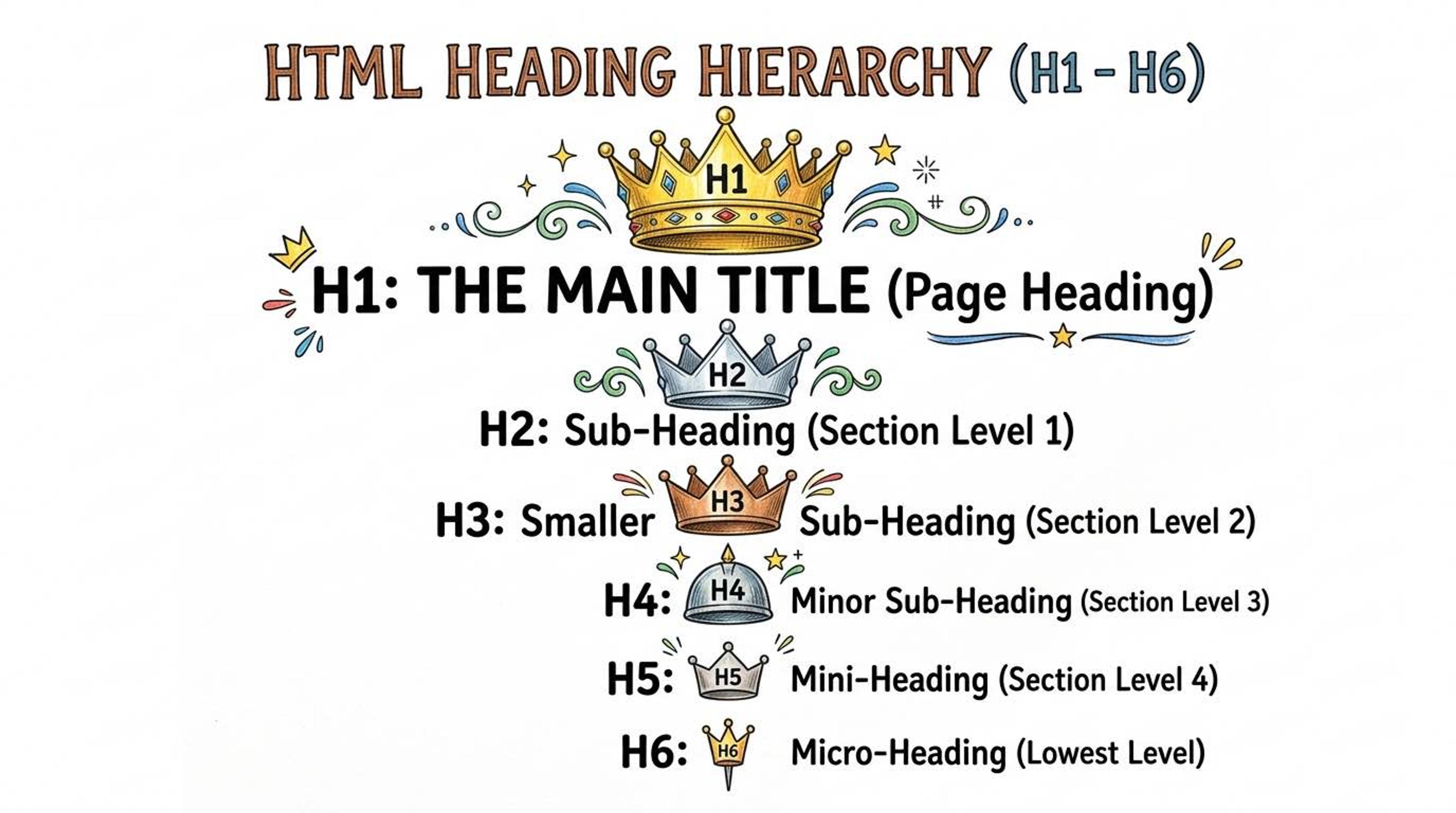
1. The H1 Tag (The King)
Think of `<h1>` as the main title of your page. It is the most important tag for Google. You should only ever have ONE `<h1>` on a page!
2. H2 to H6 Tags (The Sub-sections)
`<h2>` tags are your main sections. `<h3>` tags are sub-sections inside an `<h2>`. You should never skip a level (don't jump directly from an h2 to an h4). That confuses search engines.
Syntax
Notice how the sizes automatically get smaller, and how we logically step down from h1 to h2, and then from h2 to h3.
<h1>How to Crack College Placements</h1>

  <h2>1. Master a Programming Language</h2>
    <h3>Why Java or C++ is best</h3>
    <h3>Learning Data Structures</h3>

  <h2>2. Build Good Projects</h2>
    <h3>Web Development Projects</h3>
      <h4>E-commerce Clone</h4>
Common Pitfalls
- Never use heading tags just to make text bold or big! If you want big normal text, use CSS.
- Skipping heading levels (e.g., using `<h1>` then jumping to `<h4>`) is a bad practice for SEO.
Real-World Example
A simple blog post structure relying on proper headings.
<article>
  <h1>Top 5 Laptops for Coding Students</h1>

  <h2>1. Apple MacBook Air M2</h2>
  <p>Great battery life and performance.</p>

  <h2>2. Dell XPS 15</h2>
  <p>Excellent screen and build quality.</p>
</article>