


Lists (ul, ol, dl)
Overview
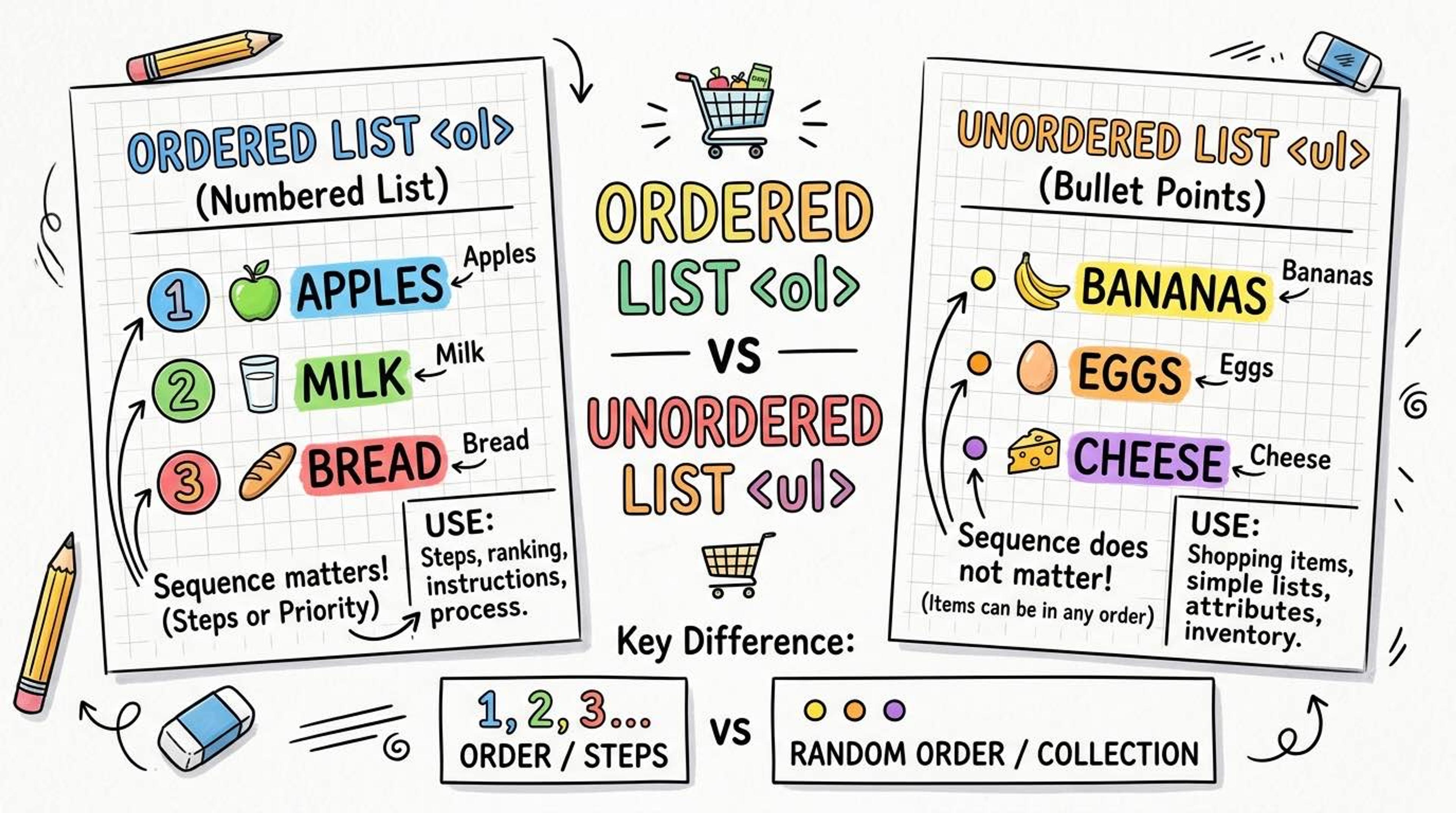
Lists are used to group related pieces of information together logically. When you use list tags, you aren't just adding bullet points to the screen; you are explicitly telling the browser and screen readers, 'Hey, these 5 items belong together.'
Screen readers will actually announce 'List of 5 items' to blind users, giving them a mental map of your content.
Syntax
Use `<ul>` (Unordered List) when the order of items doesn't matter (like a grocery list). Inside the `<ul>`, every single item MUST be wrapped in an `<li>` (List Item) tag.
<h3>My Favorite Languages</h3>
<ul>
  <li>JavaScript</li>
  <li>Python</li>
  <li>TypeScript</li>
</ul>
Use `<ol>` (Ordered List) when the sequence is important (like steps in a recipe or instructions). It automatically numbers the items for you (1, 2, 3...).
<h3>How to make tea</h3>
<ol>
  <li>Boil water</li>
  <li>Add tea leaves</li>
  <li>Add milk and sugar</li>
</ol>
Use `<dl>` (Description List) for name-value pairs, like a dictionary or a FAQ section. It uses `<dt>` for the term (the name) and `<dd>` for the description (the value).
<dl>
  <dt>HTML</dt>
  <dd>HyperText Markup Language</dd>

  <dt>CSS</dt>
  <dd>Cascading Style Sheets</dd>
</dl>
Common Pitfalls
- Only <li> elements are allowed to be direct children of <ul> and <ol>. Placing a <div> directly inside a <ul> breaks the HTML rules.
- Interview tip: Navigation menus at the top of websites are almost ALWAYS built using <nav><ul><li><a>...</a></li></ul></nav> for the best accessibility.
Real-World Example
A recipe page using ordered steps and unordered ingredients:
<h2>Dal Makhani Recipe</h2>

<h3>Ingredients</h3>
<ul>
  <li>1 cup black lentils (urad dal)</li>
  <li>½ cup kidney beans</li>
  <li>2 tbsp butter</li>
</ul>

<h3>Steps</h3>
<ol>
  <li>Soak lentils overnight in water.</li>
  <li>Pressure cook for 20 minutes.</li>
  <li>Simmer for 30 minutes.</li>
</ol>