


Iframes (Embedding)
Overview
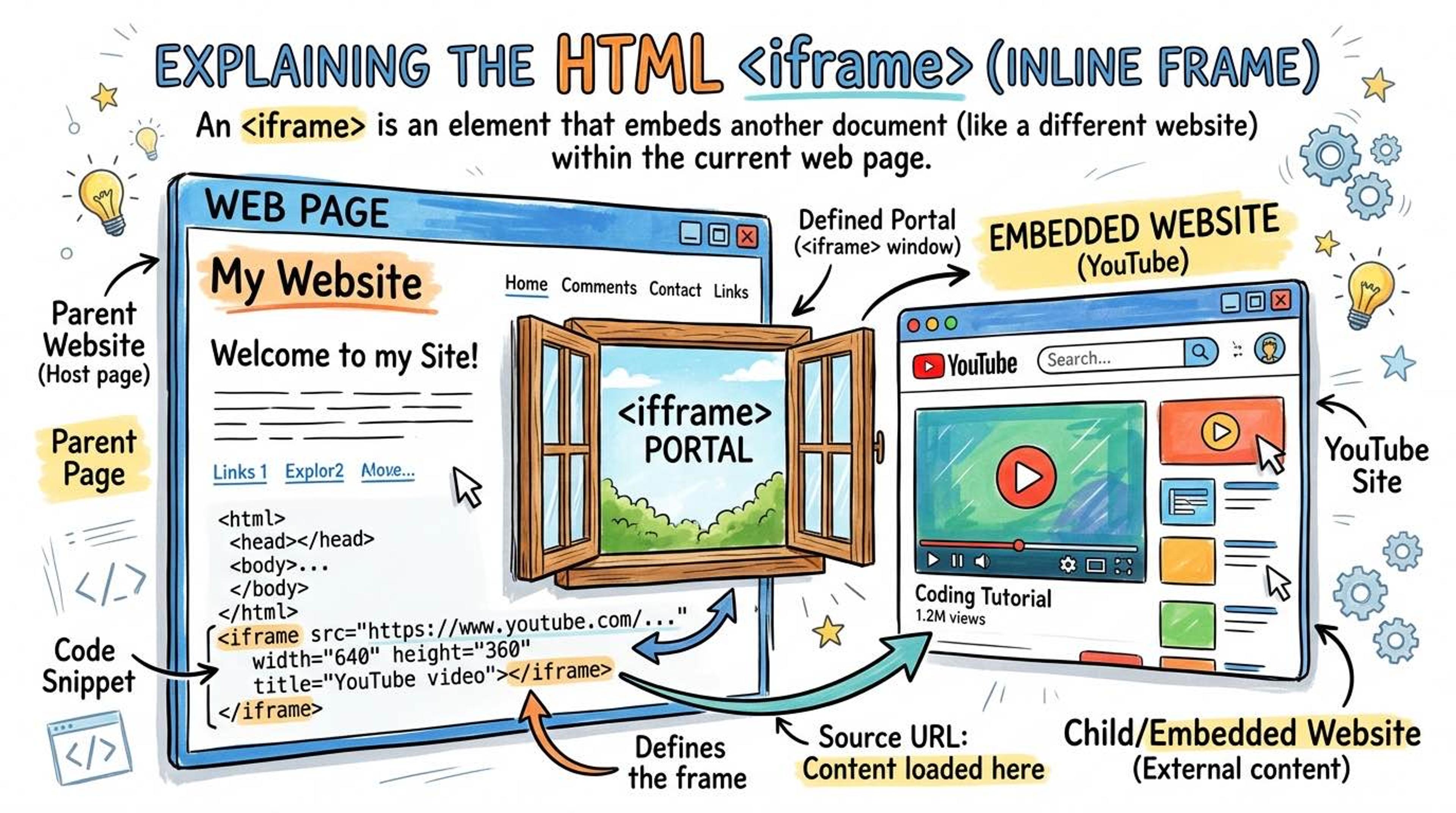
The `<iframe>` (Inline Frame) tag is like cutting a rectangular hole in your web page and letting the user look through that hole into a completely different website.
It is heavily used to embed third-party content directly into your page without forcing the user to leave. The most common uses are embedding YouTube videos, interactive Google Maps, Spotify players, or secure payment gateways (like Stripe).
Syntax
You use the `src` attribute to specify the URL of the website you want to embed. You also need to specify a `width` and `height` to define how big the 'hole' should be.
Always add a `title` attribute. Because screen readers can't easily see what's inside the iframe, the title tells blind users what the embedded content is.
<!-- Embedding the Wikipedia homepage -->
<iframe
  src="https://www.wikipedia.org"
  width="800"
  height="600"
  title="Wikipedia Homepage">
</iframe>
When you click 'Share -> Embed' on a YouTube video, YouTube gives you an iframe code block. It includes extra attributes like `allowfullscreen` so the user can make the video take up their whole monitor.
<iframe
  width="560"
  height="315"
  src="https://www.youtube.com/embed/dQw4w9WgXcQ"
  title="YouTube video player"
  frameborder="0"
  allow="accelerometer; autoplay; clipboard-write; encrypted-media; gyroscope; picture-in-picture"
  allowfullscreen>
</iframe>
Common Pitfalls
- Iframes can be a massive security risk (clickjacking). Hackers can embed your site in an iframe to steal clicks. Modern sites often use HTTP headers (X-Frame-Options) to block other people from putting their site in an iframe.
- Interview tip: Always use loading='lazy' on iframes (especially YouTube/Maps) because they are very heavy to load and will slow down your page significantly if loaded immediately.
Real-World Example
Embedding an interactive Google Map for a 'Contact Us' page:
<div class="store-locator">
  <h2>Visit Our Office</h2>
  <p>123 Developer Lane, Tech City.</p>

  <iframe
    src="https://www.google.com/maps/embed?pb=!1m18!..."
    width="100%"
    height="450"
    style="border:0;"
    allowfullscreen=""
    loading="lazy"
    referrerpolicy="no-referrer-when-downgrade"
    title="Google Map showing our office location"
  ></iframe>
</div>