


Accessibility (a11y)
Overview
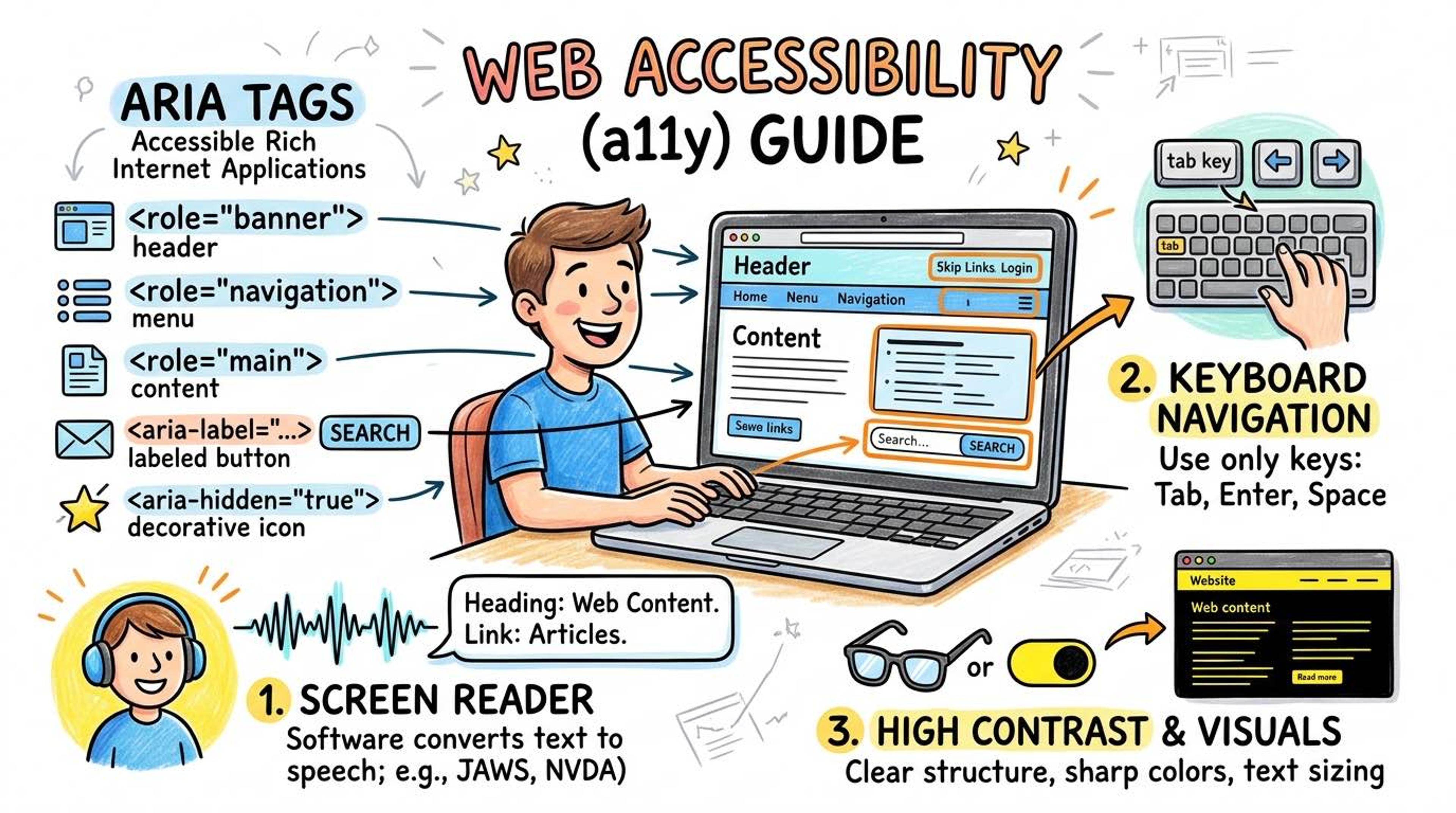
Accessibility (often abbreviated as 'a11y' because there are 11 letters between 'a' and 'y') means ensuring your website can be used by EVERYONE, including people with visual, hearing, cognitive, or physical disabilities.
Imagine trying to browse the web completely blindfolded. You would rely on a 'Screen Reader'—a software that speaks the screen's text out loud. If your HTML is poorly written, the screen reader will just read out garbage, and the disabled user won't be able to buy your product or read your article.
Syntax
Sometimes you have a button with only an icon (like a magnifying glass for search, or an 'X' to close a window). Sighted users know what it means, but screen readers don't.
You fix this by adding an `aria-label`. This attribute provides invisible text that only screen readers can hear.
<!-- ❌ WRONG: Screen reader just says "Button" -->
<button>✕</button>

<!-- ✅ CORRECT: Screen reader says "Close notification" -->
<button aria-label="Close notification">✕</button>

<!-- ✅ CORRECT: Screen reader says "Search website" -->
<button aria-label="Search website">🔍</button>
Many users cannot use a mouse (due to motor disabilities) and rely entirely on the `Tab` key on their keyboard to jump between interactive elements.
Native interactive elements (like `<button>`, `<a>`, `<input>`) are automatically tabbable. If you build a custom button using a `<div>`, it breaks keyboard navigation unless you add `tabindex="0"`.
<!-- Automatically focusable using the Tab key -->
<button>Submit</button>

<!-- ❌ A div is NOT focusable by default. Keyboard users are trapped! -->
<div class="fake-button" onclick="submitForm()">Submit</div>

<!-- ✅ Fixing the fake button so it can be focused with Tab -->
<div class="fake-button" tabindex="0" onclick="submitForm()">Submit</div>
Common Pitfalls
- The #1 rule of ARIA: No ARIA is better than bad ARIA. Native HTML elements (like <nav>, <button>, <input>) already have built-in accessibility. Use them instead of reinventing the wheel with <div> and aria tags.
- Interview tip: Accessibility is a legal requirement in many countries (ADA compliance in the US, EN 301 549 in Europe). Companies can be, and frequently are, sued for having inaccessible websites.
Real-World Example
An accessible modal dialog utilizing ARIA roles to tell the screen reader exactly what's happening:
<!--
  role="dialog": Tells the screen reader this is a popup window
  aria-modal="true": Tells it the rest of the page is inactive
  aria-labelledby: Points to the ID of the title
-->
<dialog
  id="checkout-modal"
  role="dialog"
  aria-modal="true"
  aria-labelledby="modal-title"
  aria-describedby="modal-desc"
>
  <h2 id="modal-title">Confirm Purchase</h2>
  <p id="modal-desc">Are you sure you want to buy this item for ₹999?</p>

  <button onclick="confirmPurchase()">Buy Now</button>
  <button aria-label="Close popup" onclick="closeModal()">✕</button>
</dialog>