


Forms
Overview
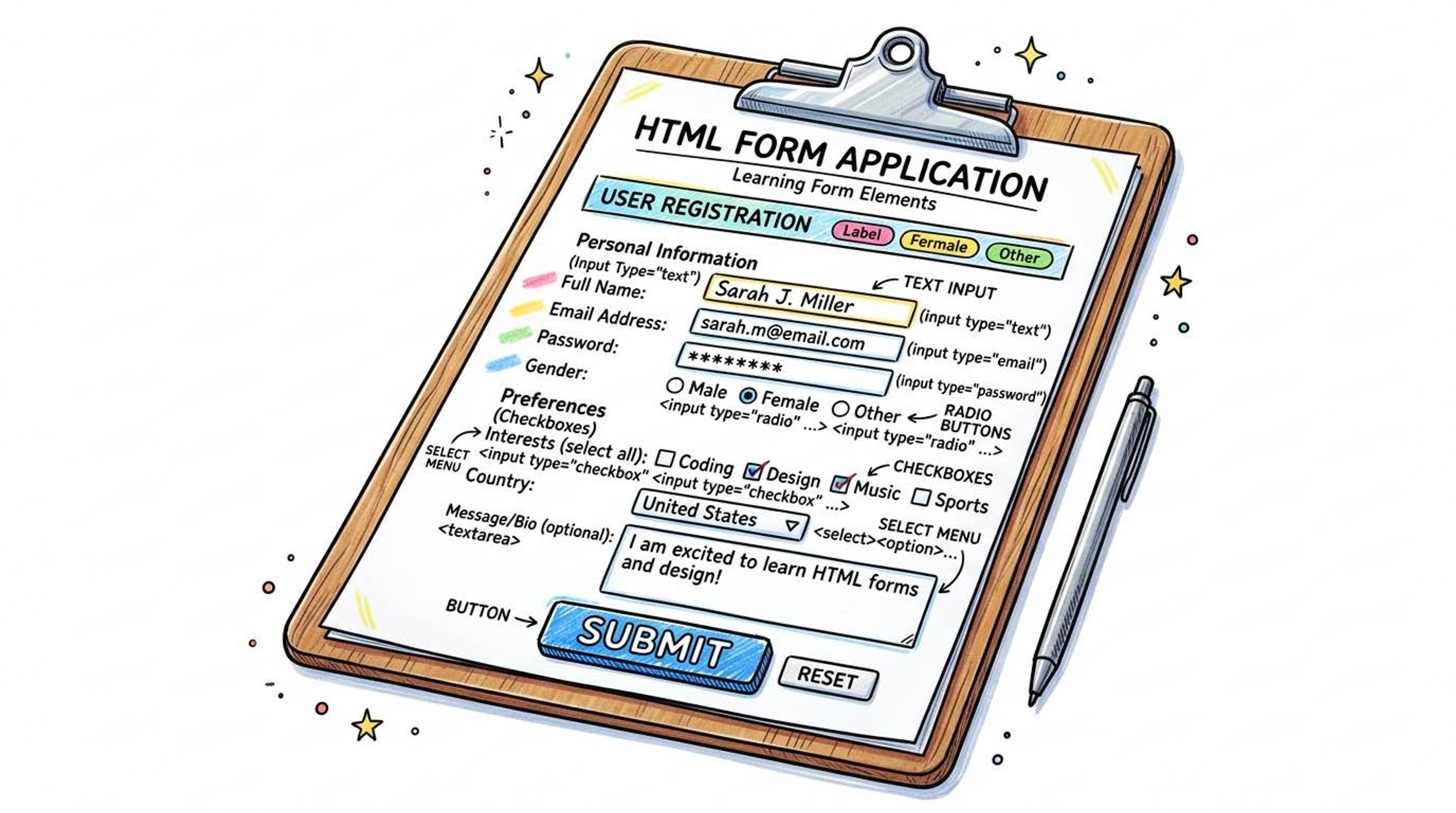
Forms are how you collect data from the user and send it to the server. Without forms, the web would be a one-way street (just reading). Forms allow users to log in, post tweets, buy products, and search for content.
The `<form>` tag is a container that holds all your input fields, checkboxes, and the final submit button.
Syntax
The `<form>` tag has two very important attributes: `action` (WHERE to send the data when the user hits submit) and `method` (HOW to send it).
Use `POST` for sensitive data (like passwords or creating an account) because it hides the data inside the request. Use `GET` for simple searches (like looking up a YouTube video) because it puts the data directly in the URL.
<!-- Submitting data to /api/login securely using POST -->
<form action="/api/login" method="POST">
  <!-- Inputs go here -->
</form>

<!-- Submitting search data via URL using GET -->
<form action="/search" method="GET">
  <!-- Inputs go here -->
</form>
Use `<input>` tags to create text boxes. EVERY input needs a `name` attribute—this is how the server knows what the typed data is called (e.g., `username=kartik`).
EVERY input also needs a `<label>`. To link a label to an input, the label's `for` attribute must EXACTLY MATCH the input's `id` attribute. This allows users to click the text label to focus the input box!
<form action="/submit" method="POST">
  <!-- The label 'for' matches the input 'id' -->
  <label for="username">Enter Username:</label>
  <input type="text" id="username" name="username" required />

  <label for="password">Enter Password:</label>
  <input type="password" id="password" name="password" required />

  <!-- Submit button triggers the form action -->
  <button type="submit">Log In</button>
</form>
Common Pitfalls
- Always associate a <label> with its <input> using for/id. If you don't, screen readers won't know what the input box is for, and blind users won't be able to fill out your form.
- Interview tip: <fieldset> draws a box around related inputs, and <legend> is the title of that box. It's great for long forms (like grouping 'Shipping Address' separately from 'Billing Address').
Real-World Example
A complete registration form with grouped fields:
<form action="/api/register" method="POST">
  <fieldset>
    <legend>Create Your Account</legend>

    <label for="fullname">Full Name</label>
    <input type="text" id="fullname" name="fullname" required />

    <label for="email">Email Address</label>
    <input type="email" id="email" name="email" required />

    <label for="role">I am a:</label>
    <select id="role" name="role">
      <option value="student">Student</option>
      <option value="professional">Working Professional</option>
    </select>

    <button type="submit">Sign Up Free</button>
  </fieldset>
</form>