


Div & Span
Overview
Sometimes, there is no semantic tag that fits your needs. You just need an invisible box to group elements together so you can style them with CSS or move them around using Flexbox.
This is where `<div>` (division) and `<span>` come in. They are entirely 'meaningless' container tags. They exist purely to help you structure your layout and apply CSS classes.
Syntax
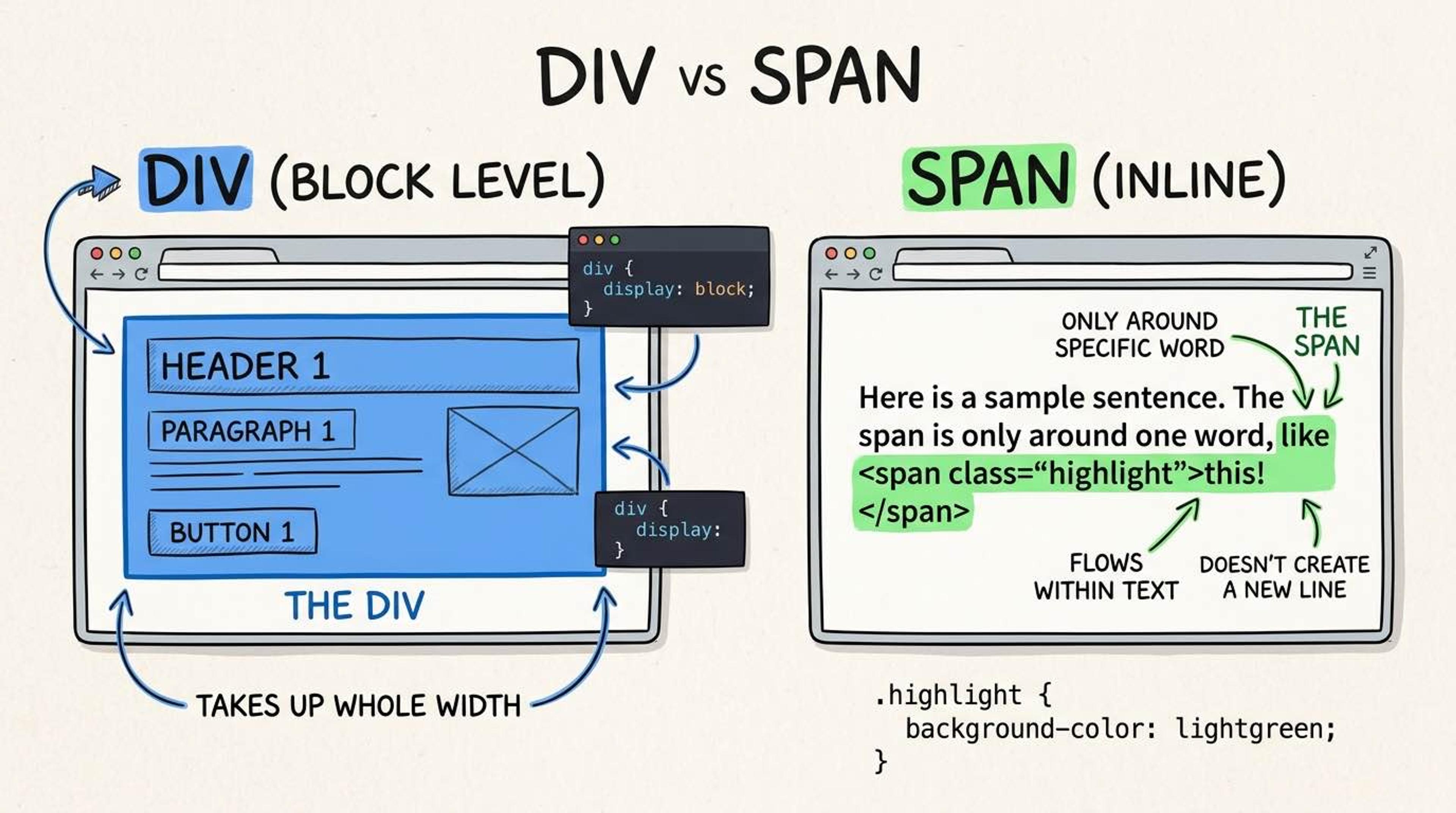
The `<div>` is a 'block-level' element. This means it naturally takes up the full width of the screen and forces the content after it onto a new line (like a physical block). It is the most commonly used tag for building layouts and wrapping groups of elements.
<!-- Grouping a title and text into a 'card' for CSS styling -->
<div class="profile-card">
  <h2>Kartik Rai</h2>
  <p>Software Engineer</p>
</div>

<!-- This div will start on a new line -->
<div class="skills-section">
  <p>React, Node, HTML</p>
</div>
The `<span>` is an 'inline' element. It does NOT force a new line. It just wraps around text exactly where it is. We use it when we want to style a specific word or phrase inside a paragraph without breaking the sentence.
<p>
  The button color should be
  <!-- Using a span to color just one word -->
  <span style="color: red; font-weight: bold;">RED</span>
  but it is currently blue.
</p>
Common Pitfalls
- Avoid 'div soup'—a terrible practice where a developer uses a <div> for literally everything (e.g., <div class='header'> instead of <header>). This ruins accessibility and SEO.
- Interview tip: Always ask yourself 'does a semantic element exist for this?' (like <p>, <article>, or <nav>) BEFORE reaching for a <div>.
Real-World Example
Using divs for structure and spans for inline styling in a notification component:
<!-- Div acts as the main container box -->
<div class="notification-banner warning-bg">
  <div class="icon-wrapper">
    ⚠️
  </div>
  <div class="message-content">
    <p>
      Your subscription expires in
      <!-- Span highlights the exact number -->
      <span class="highlight-text">3 days</span>.
    </p>
  </div>
</div>